
Simple Seasonal Farm Records: A Beginner’s Mobile Guide
Simple Seasonal Farm Records: A Beginner’s Mobile Guide
Keep clear, mobile-friendly seasonal farm records to improve decisions, reduce waste, and boost profitability. This guide gives beginner farmers a compact system for daily entries, seasonal summaries, and repeatable templates that fit a smartphone or tablet.
What are seasonal farm records and why keep them?
Seasonal farm records are dated notes and data about field operations, inputs, outputs, and observations for a single growing season.
Track the season to measure yields, compare practices, and satisfy buyers or regulators.
Documenting the season helps identify trends across years and supports decisions such as crop choice, planting dates, and irrigation timing.
Maintain records to access incentives or carbon programs when applicable as described in agricultural extension guidance (USDA, local extension services).
How should a beginner decide what to record this season?
Prioritize simple, high-value fields and avoid over-recording at the start.
Record these essentials first: date, field or bed ID, crop variety, operation type, quantity or area, and immediate outcome.
Add cost and labor only when you need a break-even calculation or when selling direct to consumers.
Include photos and short notes for scouting and troubleshooting later.
Essential recording fields to start with
- Date and time
- Field or bed identifier
- Crop and variety
- Operation performed (planting, weeding, harvest, pest control)
- Area or count (m2, row feet, number of plants)
- Yield or harvest weight
- Notes and photo
What mobile tools work best for on-farm record keeping?
Choose tools that work offline, sync to the cloud, export to CSV, and accept photos and GPS tags.
Use one of three tool categories: 1) simple note apps or spreadsheets, 2) specialized farm management apps, or 3) form builders that create repeatable templates.
Start with a spreadsheet on your phone if you want maximum control and easy exports.
Adopt a farm management app if you want mapping, task scheduling, and integrated sales tracking later.
Key app features to require
- Offline access and later sync
- Photo attachments with timestamps
- CSV or Excel export
- Custom fields and templates
- GPS or field mapping (optional)
Cost and tool selection guideline
Select a free or low-cost tool for the first season. Upgrade only when data volume or reporting needs increase.
How do you set up a simple mobile template for daily entries?

Build a minimal template that you can use for every field visit. Reuse it to speed data entry and ensure consistency.
Create a template with labeled fields, dropdowns for common values, and a photo upload slot.
Single-visit mobile template example
- Date: auto-filled
- Field ID: dropdown or short code
- Crop/Variety: dropdown
- Operation: dropdown (planting, weeding, scouting, irrigation, harvest)
- Area or count: numeric field
- Input used: text (seed, fertilizer, amendment)
- Quantity/Rate: numeric and units
- Labor: hours and person initials
- Photo: attach one or more
- Notes: short free text
Use form-builder apps or a single-sheet spreadsheet template to implement this design quickly.
How should a beginner record planting, harvest, and yield data accurately?
Use consistent units, measure small sample areas for yield estimation, and record calibration details for scales.
Label transplants and seed lots to track variety performance across fields.
Planting recording steps
- Note seed lot or transplant batch code.
- Record seeding rate and row spacing.
- Tag bed or row start and end points for later scouting.
Harvest and yield recording steps
- Weigh harvest using a calibrated scale.
- Record harvest weight, sample size, and moisture if needed.
- Convert weights to per-area yields using recorded harvested area.
- Document harvest losses and reasons.
Follow extension recommended sampling methods from university extension guides to ensure comparable yield data.
How should a beginner track inputs: seed, fertilizer, water, and labor?
Record inputs by batch, rate, and cost to link inputs to outputs and calculate efficiency.
Create input logs with reusable dropdowns for common products and unit conversions pre-defined.
Input tracking fields
- Input type and brand or batch
- Application rate and units
- Date and field
- Applicator name
- Cost per unit and total cost
- Purpose or target pest/nutrient
Track irrigation as minutes or liters per zone and link to field ID for later water use efficiency estimates.
How do you link records to microclimate and crop rotation plans?
Map each field and reference microclimate zones and rotation plans in your records to improve placement and scheduling decisions.
Use your field ID to connect a visit entry to a microclimate map or rotation sequence.
Refer to existing mapping practices such as crop maps by microclimates when assigning plantings to zones. For detailed mapping strategies consult regional microclimate mapping resources and practical guides.
Review crop maps by microclimates to align planting records with local microclimate zones.
How should you track crop rotation and low-input plans in records?
Maintain a rotation log that lists past crops per field to avoid repeating families and to plan low-input sequences.
Record cover crops, green manures, and fallow periods as part of rotation entries.
Consult adaptive rotation frameworks for low-input systems to record the sequence and rationale for each rotation decision.
See adaptive low-input crop rotation plans for templates that can be adapted as a rotation-recording module.
How can records help with pest and disease scouting and response?
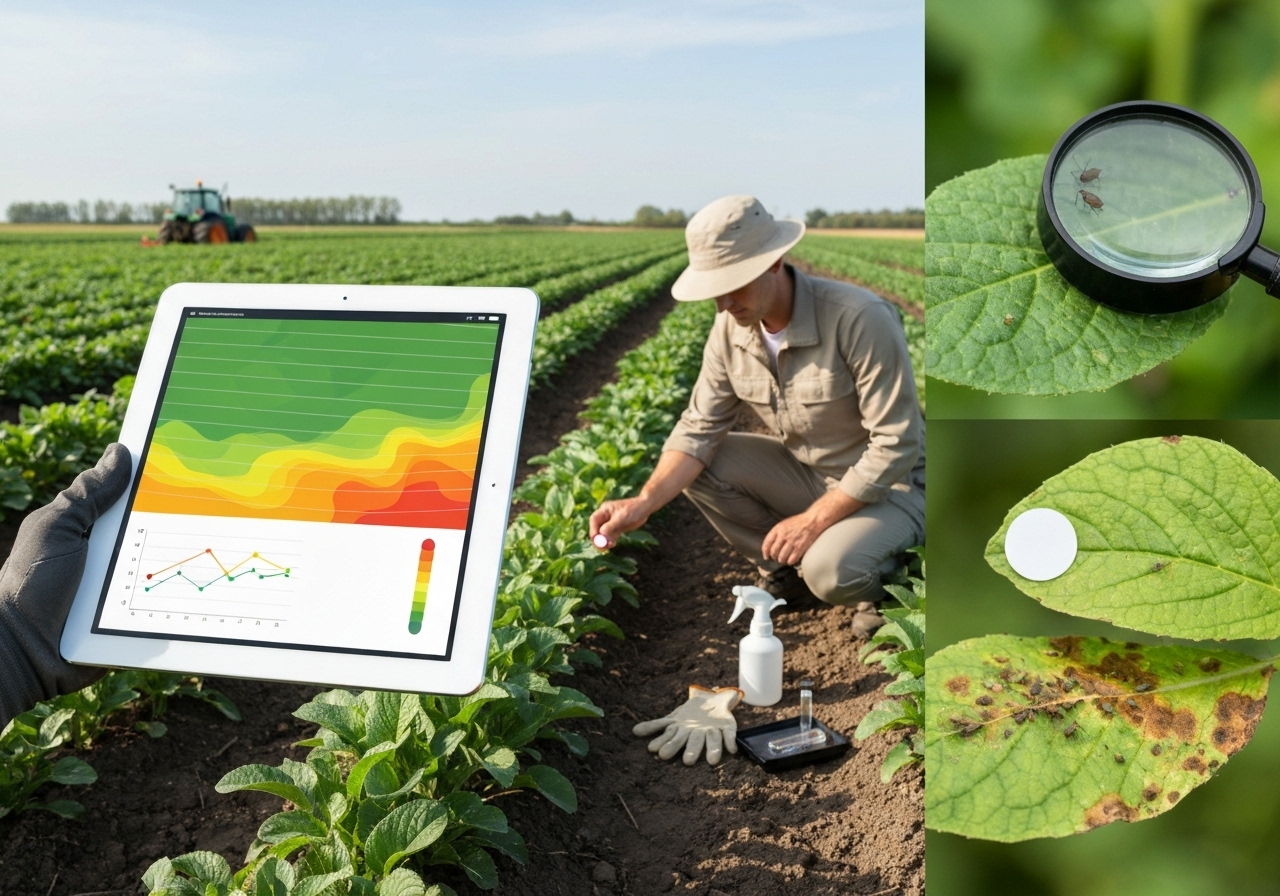
Use a scouting log to record pest sightings, severity estimates, thresholds reached, and action taken.
Photograph symptoms, specify pest stage, and timestamp entries to build a seasonal incidence timeline.
Scouting log fields
- Date and observer
- Field ID and location
- Crop and growth stage
- Pest or disease observed
- Severity estimate or count
- Action threshold and response
- Treatment details and re-check date
Compare entries against integrated pest management thresholds from extension recommendations to decide actions.
How should a beginner keep soil health and amendment records?
Record soil tests, amendment applications, and biological treatments to track soil condition changes over seasons.
Document testing lab, test date, and all measured parameters such as pH, organic matter, and nutrient levels.
Record microbial amendments and their source, batch, rate, and timing.
Use on-farm microbial design practices to log inoculants and measure soil response over time.
Refer to research and field guides on designing soil microbial consortia when you record biological amendment strategies; that guidance helps link application to soil health outcomes.
Consult designing on-farm microbial consortia for details on documenting biological products and expected soil responses.
How do you organize seasonal logs for reporting, certification, and marketing?
Create separate folders or sheets for compliance, sales, and farm management so you can extract reports quickly.
Keep an invoice and sales log with customer details, product weight, price, and delivery date.
Store compliance records—such as organic inputs or pesticide applications—in a dedicated compliance file for audits.
Sales and marketing record fields
- Product, quantity, and price
- Customer or market
- Delivery or pickup date
- Payment status
- Special handling notes
How should a beginner backup and secure mobile records?
Enable automatic cloud backup for your chosen app and export monthly CSV copies to a secondary cloud or local drive.
Use strong passwords and two-factor authentication on cloud accounts to protect data privacy.
Keep a printed season summary if you must meet audit requirements or handle intermittent connectivity.
How do you analyze seasonal records at the end of the season to plan next year?

Summarize key metrics such as yield per area, input cost per unit produced, labor hours per kilo, and profitability per enterprise.
Create simple pivot tables or charts from CSV exports to spot best and worst performing fields and varieties.
Minimum end-of-season metrics
- Total yield and yield per area
- Total input costs and cost per unit
- Labor hours and labor cost per unit
- Gross income and net margin by enterprise
- Water use per yield unit for irrigated systems
Use these metrics to adjust planting area, shift rotation sequences, and refine input choices for the next season.
What are common beginner mistakes in farm record keeping and how to avoid them?
Record inconsistency is the most common mistake. Avoid it by using templates and a single entry method.
Over-detailing and underuse of data both reduce value. Start small and expand fields only when you will analyze them.
Failing to back up data risks loss. Automate backups and export monthly copies.
Using multiple unlinked systems fragments data. Merge or standardize tools early to maintain linked field IDs and crop names.
Practical fixes for common mistakes
- Set a daily 10-minute logging routine and stick to it.
- Use dropdowns for repeat fields to avoid typos.
- Train all team members on the one template and the field ID system.
What simple seasonal checklist can a beginner follow on a phone?
Follow a concise, repeatable checklist to capture the season’s core information while on the move.
Daily mobile checklist
- Open the field ID template
- Enter date and time (auto)
- Select field and crop
- Choose operation type
- Enter quantity or area
- Attach one photo if there is an unusual observation
- Note input used and labor
- Save and sync when online
Weekly review checklist
- Export last week to CSV for backup
- Summarize pest events and actions
- Adjust the coming week schedule
End-of-season checklist
- Export full season data
- Compute yields per area for each field
- Calculate per-unit input costs and labor
- Write three lessons learned and three action items for next season
How can records help small farms access payments and carbon programs?
Keep documented records of practices, inputs, and soil health to demonstrate eligibility for incentive and carbon programs.
Record dates, methods, and outcomes for cover cropping, reduced tillage, and soil carbon practices to support claims during verification.
Use consistent field IDs and dated photos to strengthen program applications and audits.
How can you scale record keeping as the farm grows?
Automate repetitive tasks such as field mapping and CSV exports as your data volume grows.
Standardize naming conventions and field IDs to avoid fragmentation when adding staff or tools.
Integrate sensors or simple IoT where needed, while keeping the core mobile template for human observations.
What role do mapping and sensors play in seasonal records?
Use simple field mapping to attach each record to a polygon and improve spatial analysis of yields and inputs.
Deploy soil moisture or weather sensors to complement human observations and automatically log environmental triggers.
Link sensor time-series to manual entries for a richer seasonal dataset that supports irrigation and pest forecasting decisions.
How can records support regenerative practices and soil health goals?
Record cover crop species, termination dates, and biomass estimates to measure regenerative progress.
Document biological amendments and microbial strategies to correlate treatments with soil test trends.
Use records to validate outcome-based incentives such as soil carbon credits or payments for ecosystem services.
Integrate soil microbiome and amendment records with field results when experimenting with new biological inputs.
How should you name fields, crops, and files for clarity?
Use short, consistent codes for fields such as “F1”, “NB-Row3”, or “Greenhouse-A” and include a master field map file.
Name crops by crop family and variety code to avoid ambiguity, for example “Tomato_CherokeePurple”.
Use date-first file names for exports, for example “2026-10-01_Harvest_F1.csv” to keep chronological order.
Which simple analytics give the best return on time invested?
Compute yield per area, input cost per unit, and labor hours per unit as your primary analytics.
Track these three metrics per field and enterprise to prioritize improvements that impact profitability fastest.
Visualize trends across years to detect variety or field performance shifts early.
How do you turn seasonal records into actionable changes?
Translate records into three specific actions: change one variety, alter one input rate, and adjust planting date for next season.
Use evidence from yield and cost metrics to justify changes and then record the experiment to validate outcomes.
Which resources and references should beginners consult?
Consult local extension publications, USDA guidance, and practical tools from sustainable agriculture organizations for templates and sampling protocols.
Use university extension sampling guides for yield and soil test methods to keep data comparable across seasons.
Refer to practical posts on rotation and mapping to integrate records into larger farm planning tools.
Explore specialized articles such as microclimate mapping and rotation planning available from practical farm practice collections for detailed workflows and templates.
How to start today: a 7-step beginner action plan?
Follow these steps on your phone to create a useful seasonal record system by the end of the week.
- Create a single field ID scheme and map fields roughly with GPS or tape measures.
- Build the daily template in a spreadsheet or form app with the essential fields listed above.
- Record every visit for one week using the template to build the habit.
- Export a CSV at the end of week one and review entries for missing data.
- Adjust dropdowns and templates to reduce typing errors.
- Back up the weekly CSV to cloud storage and a secondary location.
- At season end, compute yield and input cost metrics and note three changes for next season.
Start small, iterate fast, and keep the system aligned with the decisions you want to make.
What final advice helps beginners persist with record keeping?
Make the records directly useful for tasks you perform weekly to keep motivation high.
Reward consistency by reviewing one metric weekly and celebrating small wins such as a better germination rate or a minor cost saving.
Involve the team by assigning simple logging tasks and using photos to make entries quicker and more engaging.
Keep the system flexible and refine fields each season so records grow in value without becoming a chore.
Use internal knowledge resources and relevant articles on mapping, rotation, and soil biology to expand your record modules only when the core system works reliably.
Link practical mapping and rotation resources as your records mature to support strategic decisions and experimental trials.
Good record keeping is iterative. Start with the essentials and add complexity only as you will use the data for decisions.


